Table of Contents Link to heading
The Hardware Journey Link to heading
In 2018, when my laptop died, I picked up an Intel NUC 8i3BEH. It was compact, efficient, and eventually got repurposed into a Docker/K8s node. My wife got one too. When the fan failed (twice), I replaced the chassis with a fanless Akasa case and turned it into a headless server.
Later, I added five Dell Wyse 3040 thin clients to build a Raspberry Pi-style HA cluster. The NUC did the heavy lifting, the Wyses ran the control plane. But performance was lacking, and eventually, when my wife’s NUC fan failed as well, I consolidated down to two NUCs: one control plane and one worker.
| NUC 8i3BEH in Akasa case | NUC/Dell Wyse cluster | Double NUC setup |
|---|---|---|
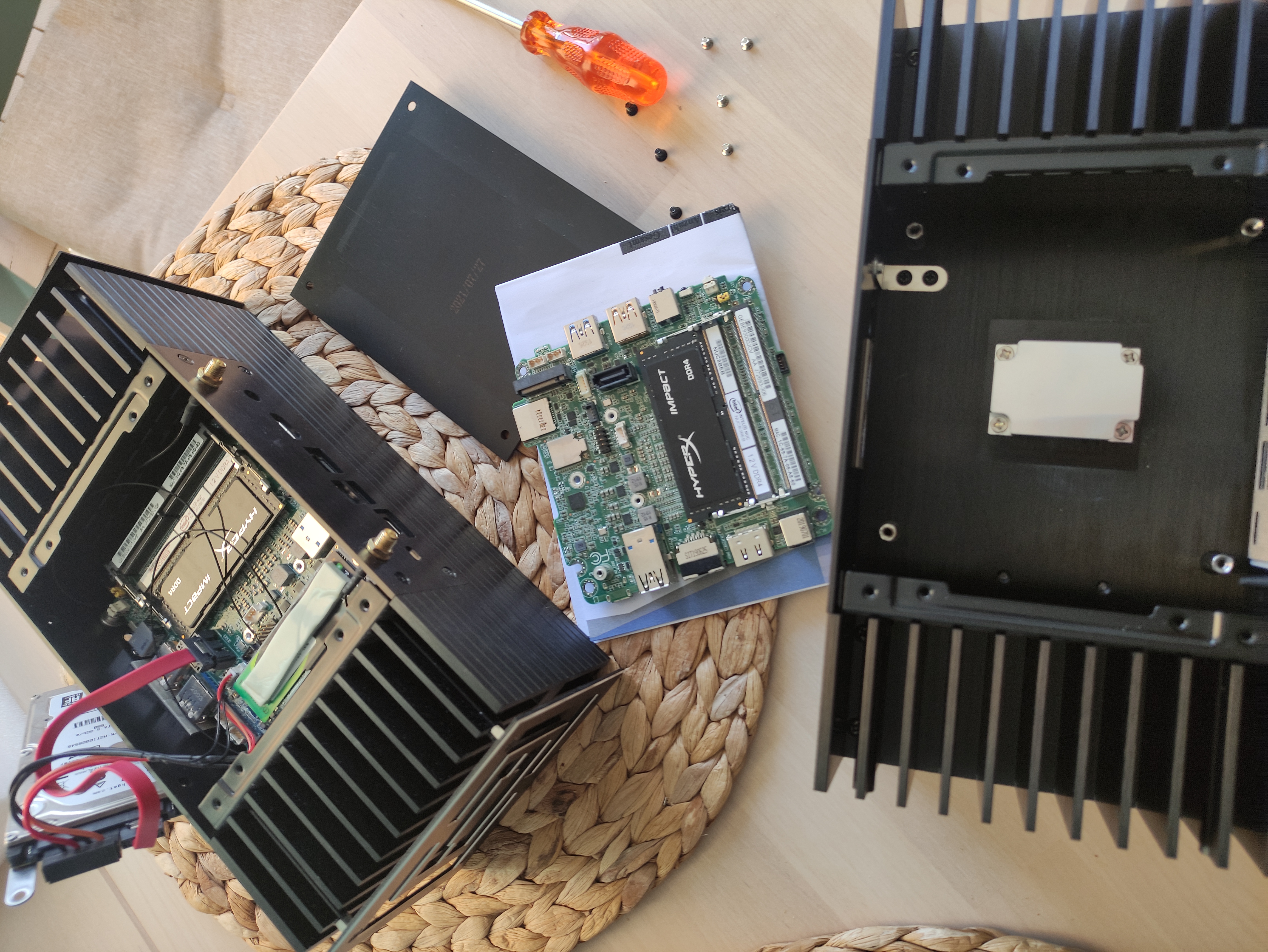 |
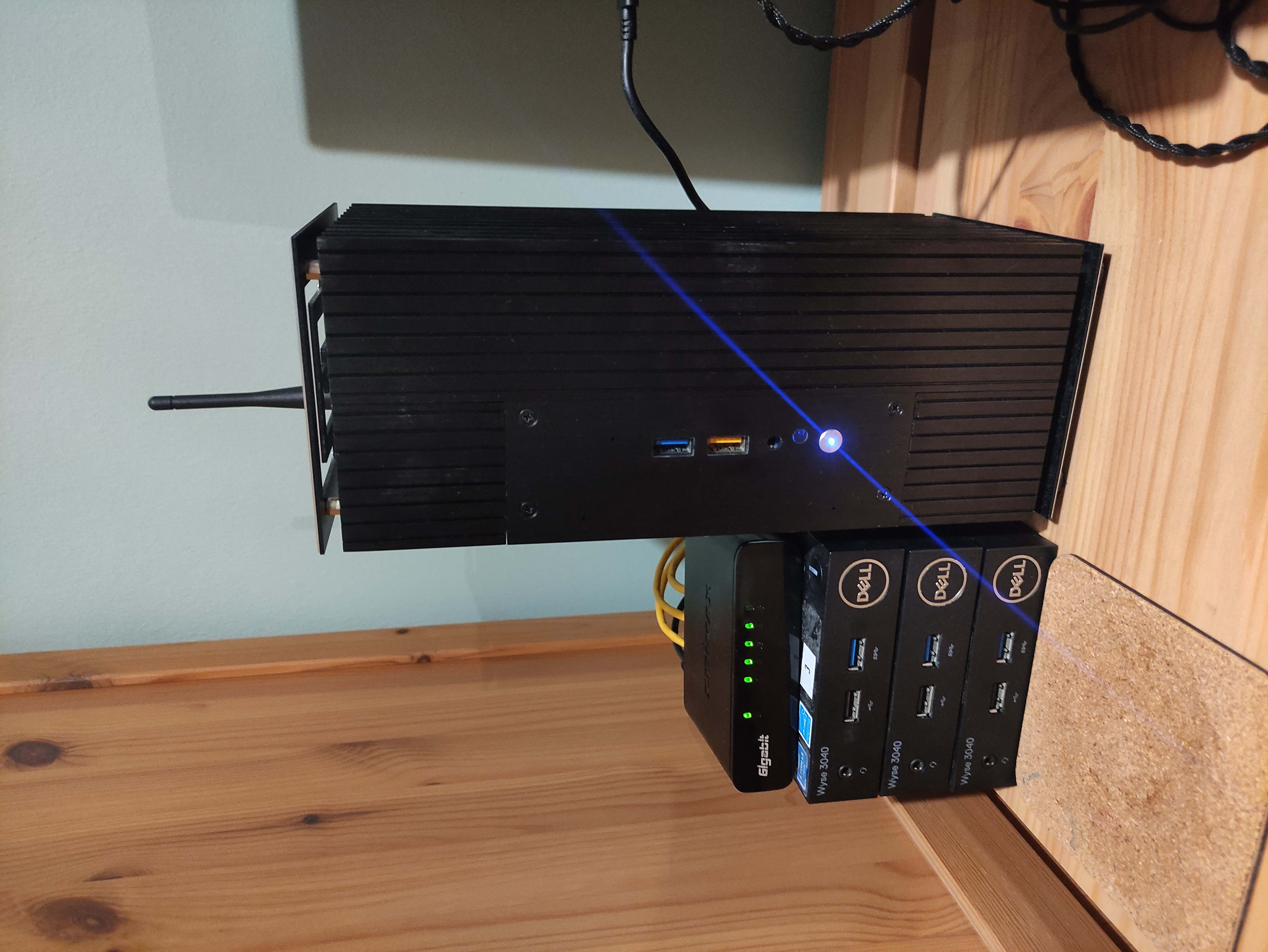 |
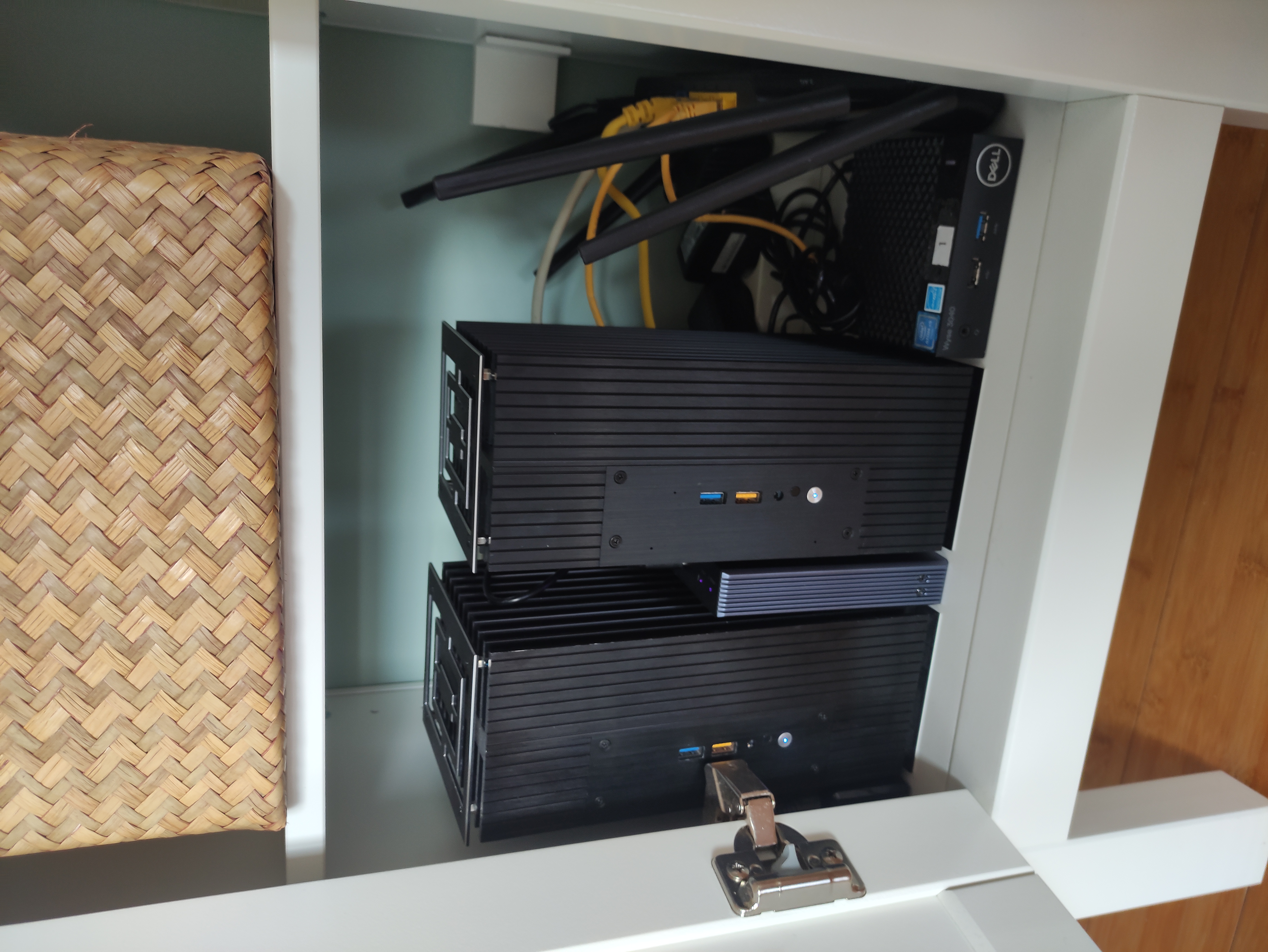 |
Why Build This Homelab? Link to heading
My Linux journey started at 14 with a scratched OpenSUSE DVD and a broken GUI. I didn’t know who gave it to me or what version it was, but that terminal-only experience stuck. Homelabbing became my way of learning, and it’s the reason I landed my first DevOps job. What started as a hobby turned into a career and I still see great value in testing things out at home.
I want to explore AI from a DevOps perspective - how to run AI workloads, how to orchestrate them, and how to integrate them into a Kubernetes cluster.
Why Intel-Only? Link to heading
The short answer: use what I own, and maximize price-to-VRAM. Intel Arc GPUs aren’t mainstream, but they offer solid specs for the cost if we consider the mantra that VRAM is King. Instead of chasing cloud credits or NVIDIA hardware, I chose to explore what Intel can do just because of the fun of it.
I expected it to be hard from my initial research online. Lack of documentation or best practices on how to deal with this hardware, not to mention the general warning signs from the community to just stay away. All this reminded me of my early Arch Linux installs, but it’s the intense troubleshooting that makes things click eventually on a bit of a deeper level than just copying steps from a guide. And in this new AI era, I’m honestly clueless about how to do things right. As reassurance, I told myself that a bit more tinkering will probably get me more familiar with the internals than just everything working out of the box.
At the time of writing, the new Arc Pro B60 with 24 GB of VRAM was announced at Computex 2025 along with a double 48 GB version, but they are not available yet. This gives me some optimism that Intel is serious about the AI market and will continue to improve their GPU drivers and software ecosystem.
Why Two Arc GPUs? Link to heading
AI workloads are VRAM-hungry. At 16GB per card, Intel Arc’s wide 256-bit bus delivers 560GB/s bandwidth. Multi-GPU setups improve throughput, especially with larger models (7B–14B) but in the next posts I’ll shere there’s a really big “IT DEPENDS” in all of this. Regardless, it’s a cost-effective way to get started with AI workloads on a budget and running at least some of the popular models locally.
Arc doesn’t have the software maturity of NVIDIA. I’m not here to advocate—honestly (yet), it’s a bet that the ecosystem will mature, and it’s not certain the pain points will be solved. But I want to explore how well these chips work in a Kubernetes environment, how to set up multi-GPU workloads, and how to optimize them for performance, etc.
The AI Tidal Wave and Decision to Upgrade Link to heading
The NUCs were great for learning Kubernetes, but when the world started buzzing about AI, I realized they were underpowered for the new workloads. I needed more VRAM and compute power to run LLMs and image generation models effectively.
Initially, I debated adding a third NUC but realized that by 2024, they were overpriced, nor did I need a third one for workloads exactly. I just had a dream of having 3 NUC masters for my cluster. I didn’t want to force this decision, so instead of spluring, I budgeted 250 EUR/month, hunted discounts, and built a powerful Intel workstation over six months for ~1500 EUR.
Highlights Link to heading
-
CPU: Intel Core i9-12900K
The last generation of the i9 series with all the pros of the latest generations, without the controversial thermal issues. 16 cores (8P+8E), 24 threads. -
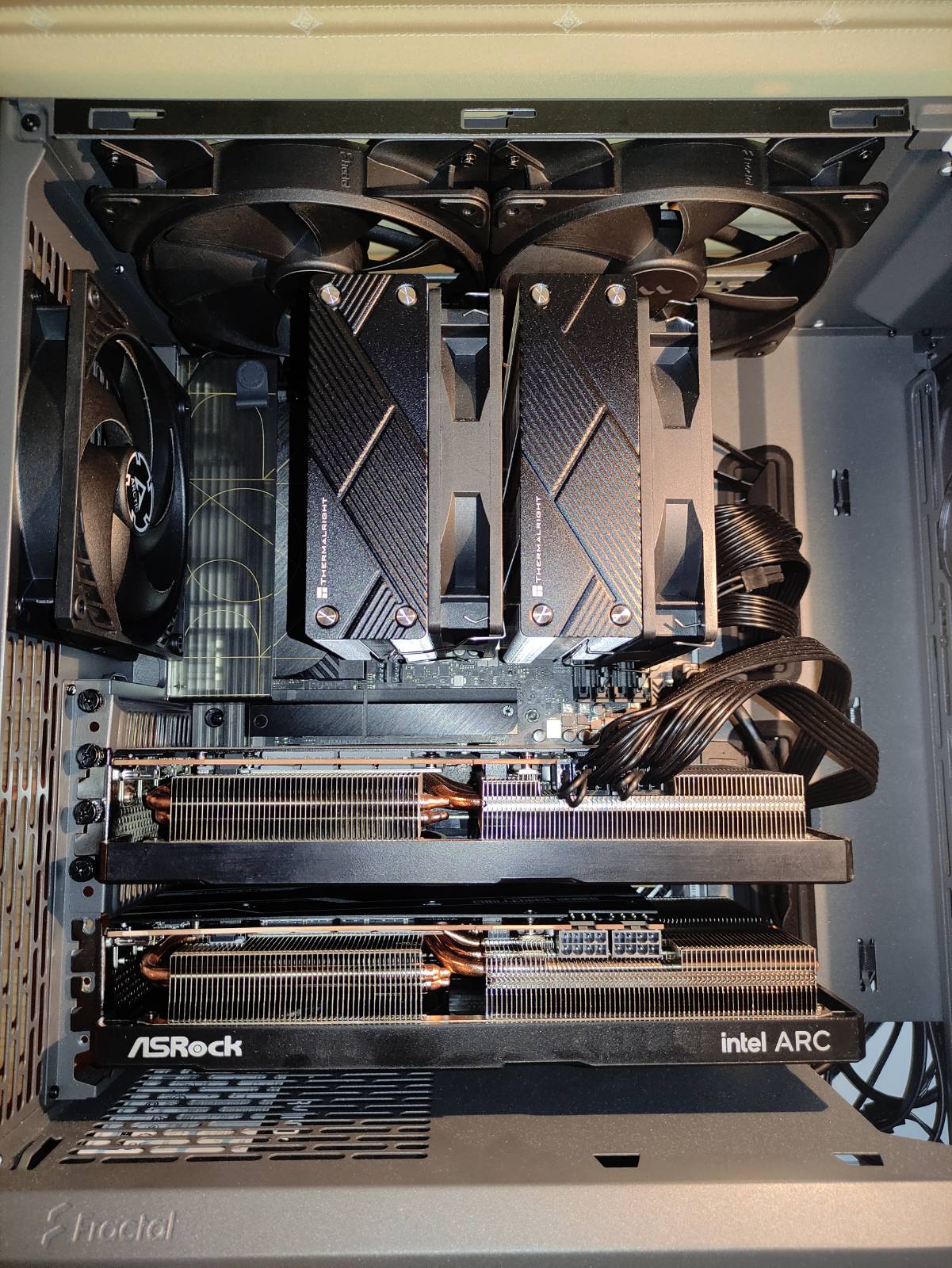
GPU: 2× Intel Arc A770 16GB
ASRock Challenger OC, the most affordable 16GB models I could find. Not the blower type I wanted, but solid performance and adequate thermals. -
RAM: 64GB DDR5
-
Storage: 4TB NVMe total
-
Motherboard: Asus ProArt Z790-CREATOR Wi-Fi
Two PCIe 5.0 x16 slots for dual GPUs, plenty of USB ports and M.2 slots. Both cards run at x8, which is sufficient for the Arc A770. -
Power Supply: Corsair RM1000x Shift 1000W
Modular, with enough headroom for future upgrades. -
Case: Fractal Design North
Excellent airflow, clean design, and matches my desk. Enough space for dual GPUs and keeps everything cool under load.
The front intake fans run at around 50% higher speed than the exhaust fans on the back and top, producing more static pressure to overcome the dust filter and creating a slight overpressure inside the case, which keeps dust intake at a minimum.
Inspired by this article: Fractal Design North Case with maxxed out air cooling.
| Case internals | Workspace view |
|---|---|
 |
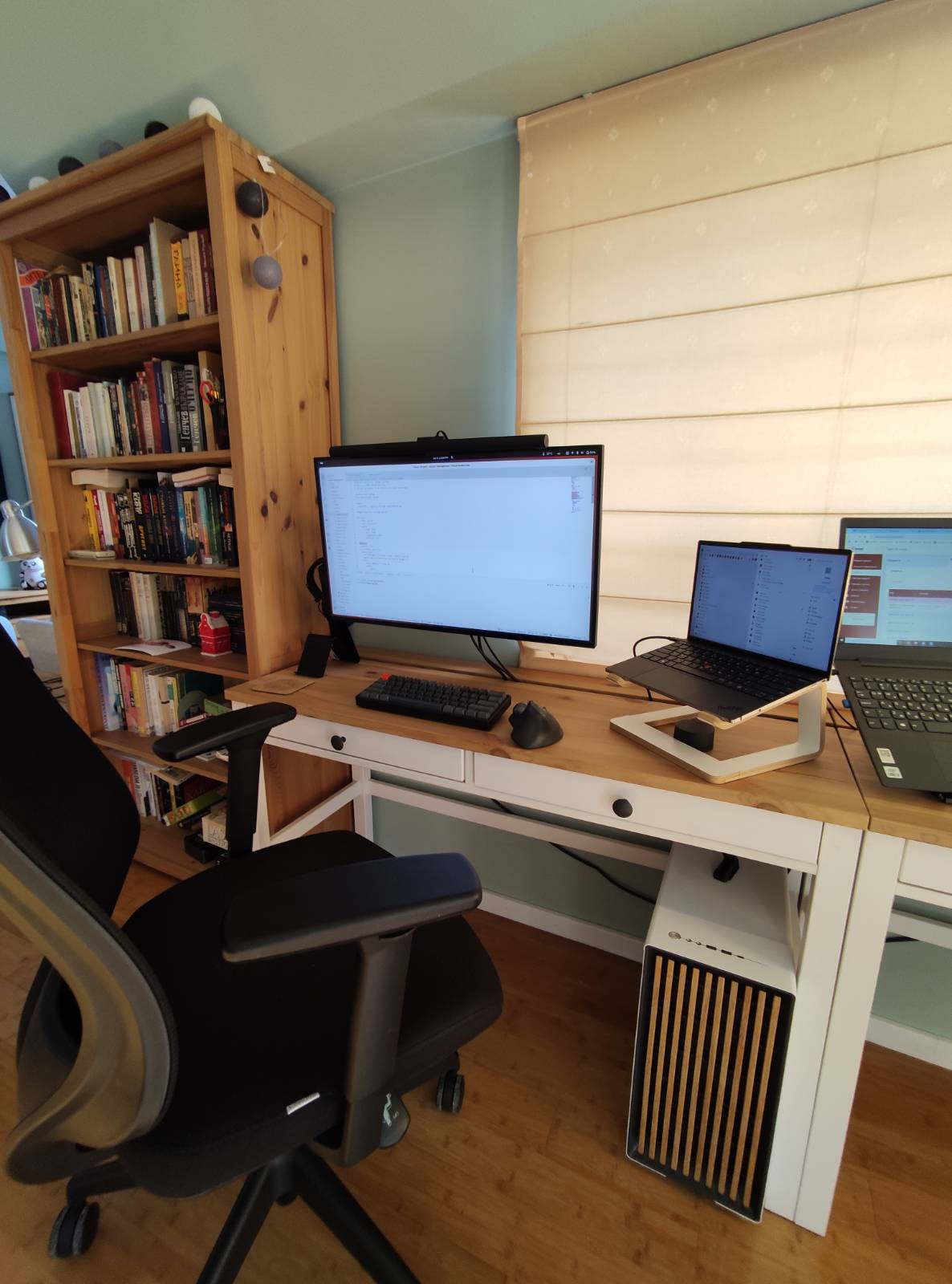 |
What I’m Exploring and What’s Next Link to heading
For about 6 months, I’ve been running this Intel-only homelab as a local workstation. I’ve been getting used to which drivers on which kernel or distribution work best, and how to set up the GPUs for optimal performance. I’ve also been experimenting with running LLMs and image generation models locally, testing multi-GPU orchestration and containerization of these workloads.
I’m now ready to take it to the next level by integrating it into my Kubernetes cluster and exploring Intel’s GPU support in Kubernetes. In the next part of this series, I’ll document the architecture of the cluster itself, the reasons behind the choices I made, tech stack, etc.
Link to Part 2: Laying the Cluster Foundation